
Summary
1. business
The second national bank, with over 6 million corporate clients, decided to consolidate six online banks into one for small and medium-sized businesses.
2. Problem
Due to security constraints, users must frequently re-login to the bank after a short period, using not only a login and password but also certificates and tokens. This regular process is time-consuming.
3. Solution
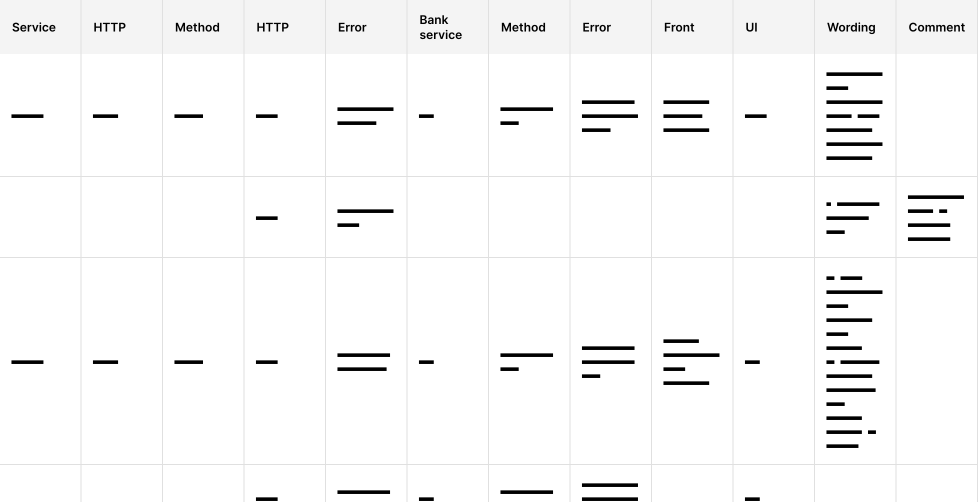
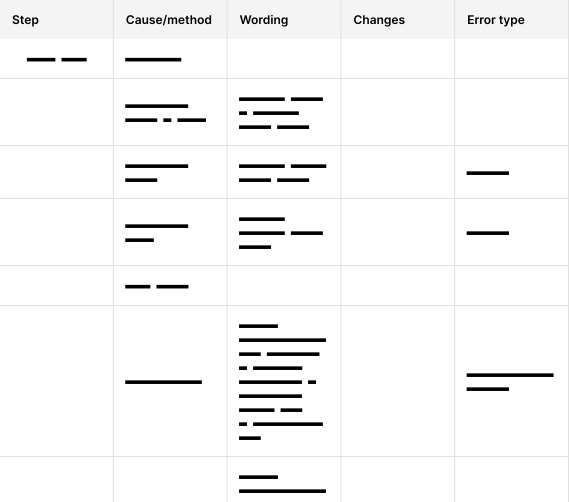
Creating and maintaining a summary table of all frontend and backend errors.
Implementing a new authorization pattern with certificates and tokens.
Around 40 corner cases.
4. Impact
The average time to complete the authorization scenario was reduced from 3 minutes to 1, improving business metrics by 57%.
1. Bank
All banks are more or less the same; this one doesn't differ much from others except in scale. It has 12 million individual clients and 6 million corporate clients. Over the past 10 years, it has absorbed 4 banks. The bank has focused on modernizing all internal and external processes to compete with more contemporary banks.
2. Problems
USB token
Around 60% of accounts have more than one corporate entity, which requires additional identification factors beyond a login, password, and SMS codes – such as USB tokens.
Sessions last for 15 minutes, after which the user is forcibly logged out and must re-authenticate in the system. This is an irritating and productivity-reducing issue for accountants who frequently work in the system.
errors
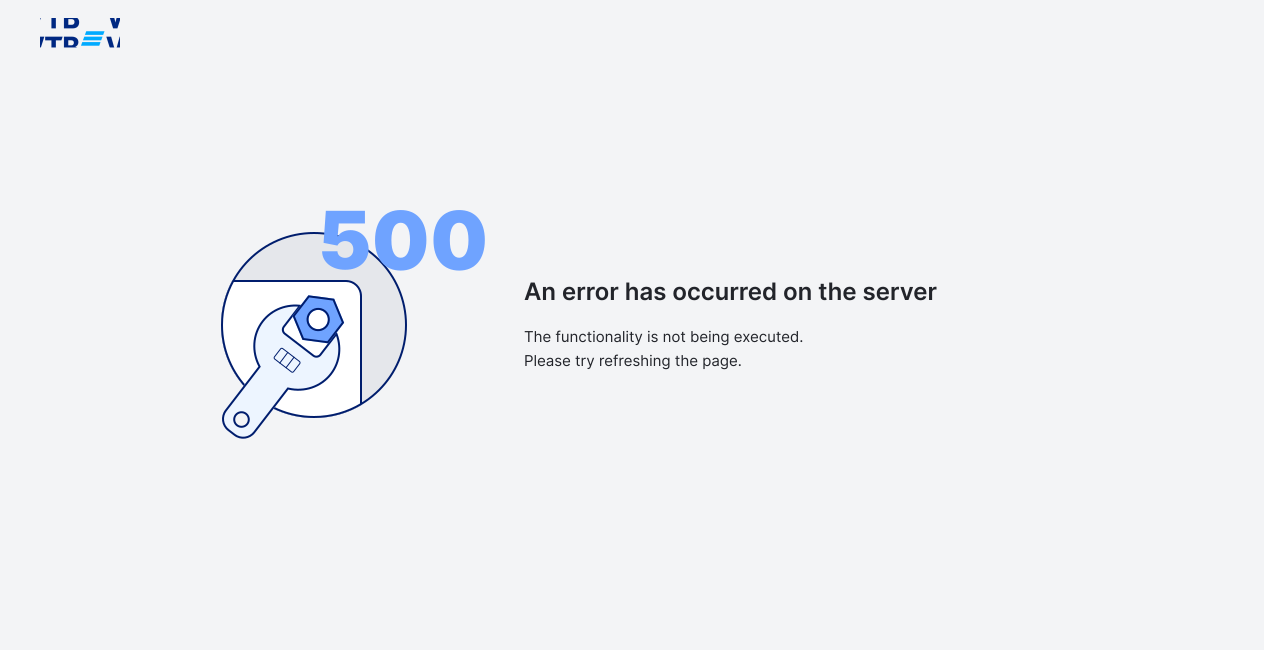
The internet bank through which clients from 5-6 old internet banks will authenticate involves different databases with often incompatible data fields, leading to frequent errors. Currently, there are 500 errors that stop the authorization scenario, leaving users unaware of the problem and wasting time and nerves trying to find out the reasons.
restrictions
The bank did not have a single department that conducted a general study of the bank's audience and priorities to acquire them. All work was based on borrowing best practices and endless disputes among everyone for the sake of the result.
3. Solution
1. usb token
In 2020, during the COVID-19 pandemic, the IT sector grew, and I explored how B2B companies handled USB key authorization scenarios. It turned out that everyone had a separate scenario for this.
This is a rare situation where it was not possible to borrow a new, simpler solution. Good, the better. I wanted, in line with my third principle, for the user to make as few clicks as possible in the scenario to save time.
What would the simplest, working solution for B2B and Enterprise look like:
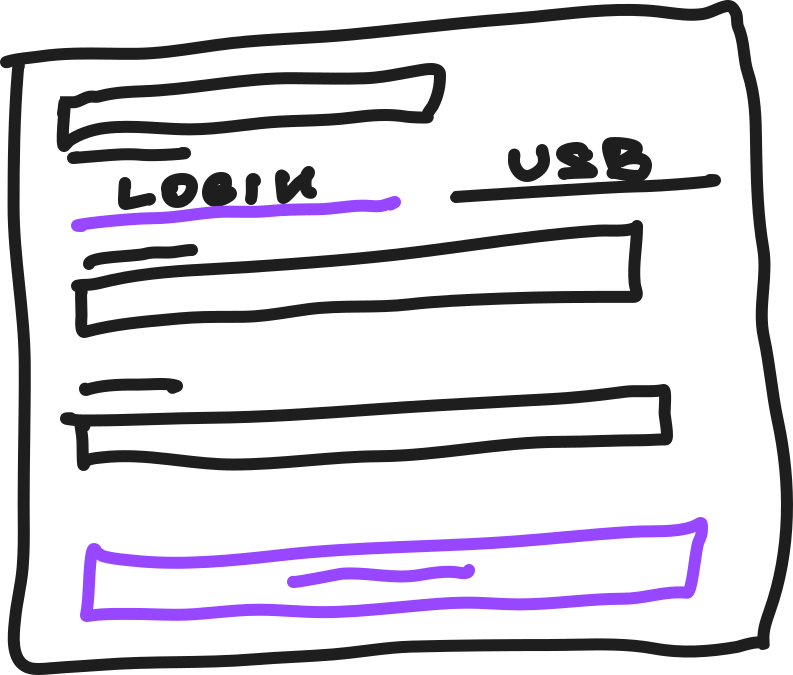
1 tab - typical login
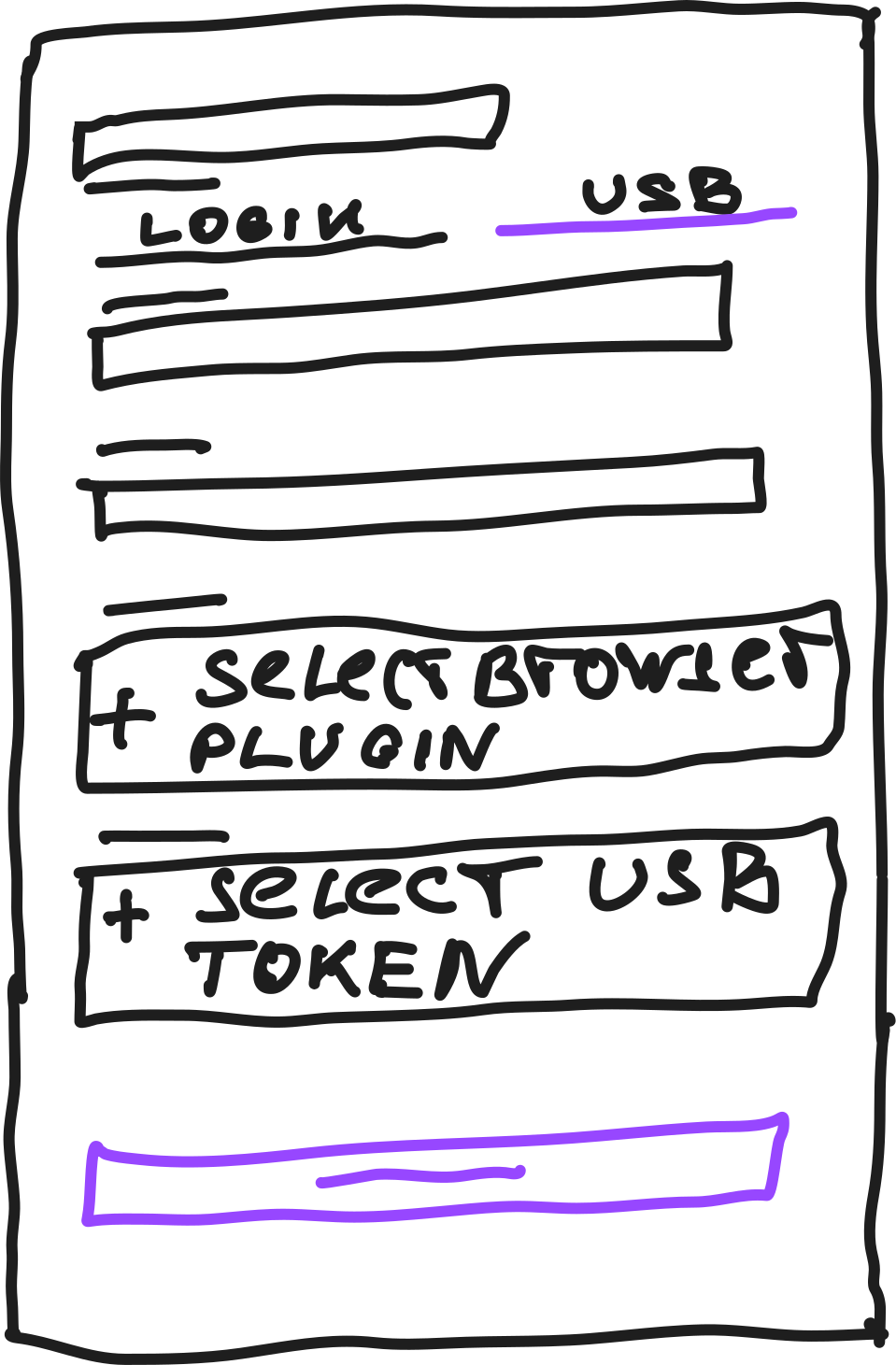
2 tab: simple login + browser + OS USB token validation
This would work, but I managed to understand all the nuances of the plugin connection process and token selection and convince the team to make it as simple and clear as possible, which the user does once until the browser loses its cache.
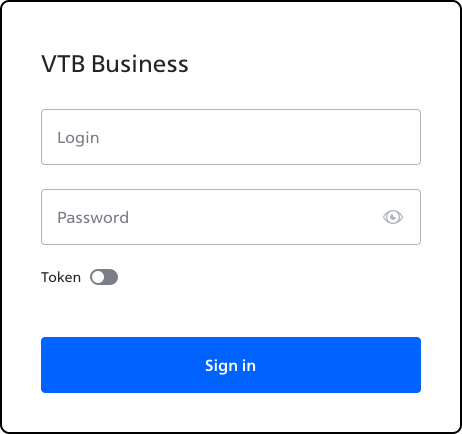
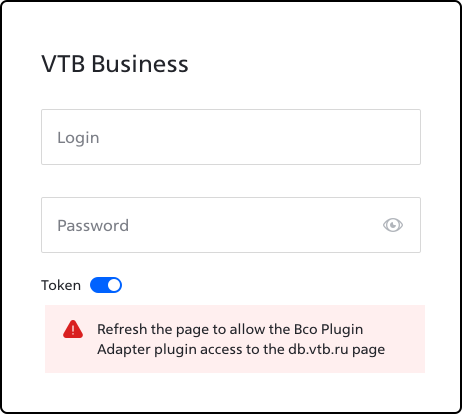
Hypothesis: USB token login will be optional, set up once, and after enabling/disabling, will remember all settings. The simplest and most familiar UI for such an action is a switcher, let's try it.
The calculation is that the user intuitively understands the concept of the switcher element with its binary function.

errors
One of the major issues affecting the time to complete the scenario is errors – there are many of them, and most stop the authorization scenario.
I formulated all errors into "What, Why, and How to solve."
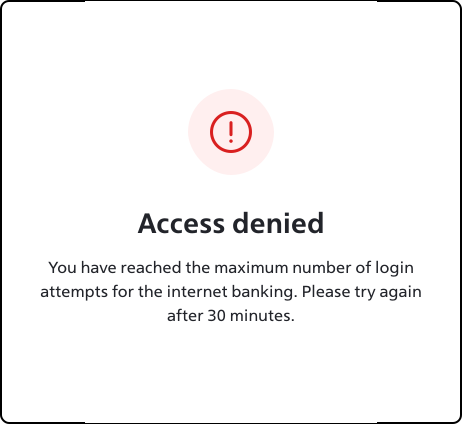
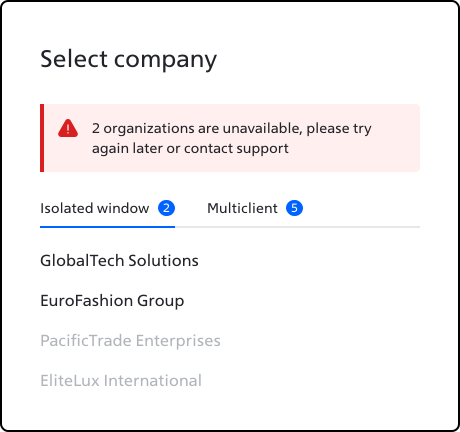
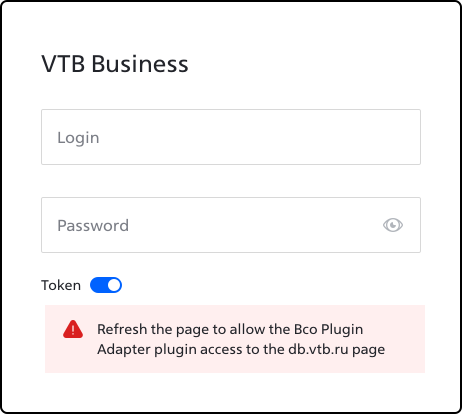
To make this possible, I convinced the team to create summary tables of all errors so that the entire team would understand where the error is coming from in the interface. Plus, I had the opportunity, with the analyst and developers, to clarify each error and display them in the interface with the appropriate text.
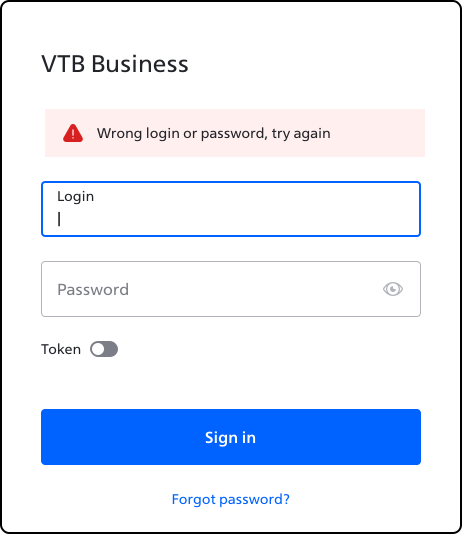
Another common problem with interface input errors is the speed at which the user understands which error relates to what.
Thanks to dividing the authorization interface into two parts, the user always understands what the error is about.
Minor Improvements
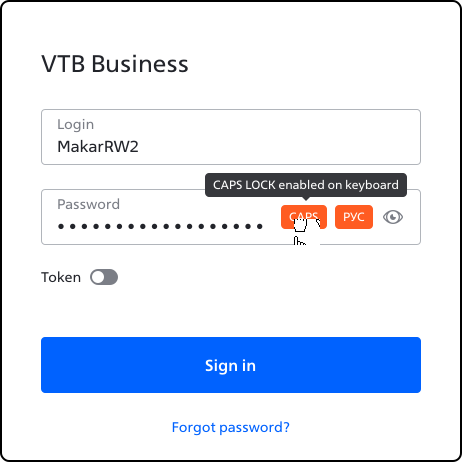
Using such credentials as login and password is not intuitive for the user, so it is desirable to ease this user experience as much as possible.

4. Impact
Business Metric
By addressing errors, covering around 40 corner cases, and combining USB token authorization into one scenario, the overall average time to complete the authorization scenario was reduced from 3 minutes to 1.
before
3 min
after
1.3 min
growth
57%
Errors Table
Authorization is a very important part of the Internet bank, through which users of different internet banks with different databases pass, helping developers from other teams to find missed piaces for their backend.
Global Error Scenario
Unfortunately, it is impossible to cover all backend errors. About 30% will always be unknown to the team due to the technical characteristics of the backend. 26% of them are temporary, meaning the database is unavailable for up to 1-1.5 minutes. For this case, I proposed a scenario in our team:
Personal Impact
This is the first project where I paid attention to how much errors are a gray area for design and how significantly they affect user experience. Taking errors seriously positively impacts many metrics.
Also, on this project, my design principle that the end result in design depends on the work of the entire team was finally formed. I would not have been able to implement all the hypotheses shown above without the trust and non-standard approach of analysts, frontend and backend developers.
read next